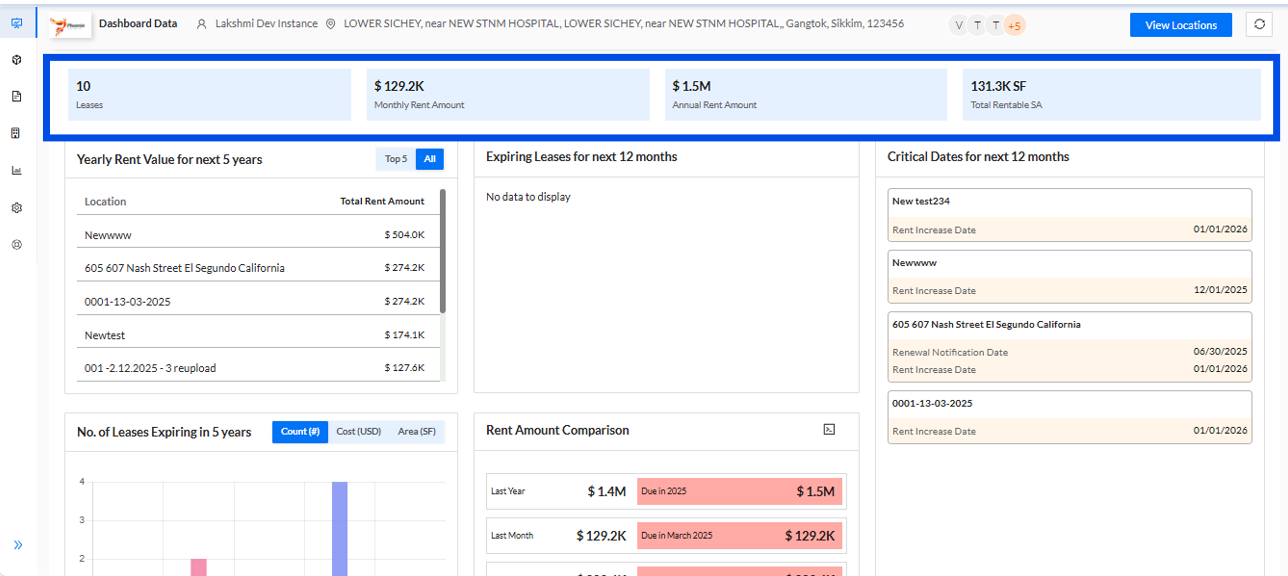
1. The Client Dashboard is a comprehensive, feature-rich platform that offers up-to-date insights into key property metrics. It presents detailed information on the following:
- Number of Leases: Displays the total number of active leases.
- Total Monthly Rent Amount: Shows the cumulative monthly rental income.
- Total Annual Rent Amount: Reflects the total annual rental revenue.
- Total Rentable Surface Area: Provides the aggregate rentable space across all properties.
These key metrics are conveniently displayed in card format, ensuring quick and easy access to essential information at a glance.
2. How is the yearly rent data for the next 5 years presented?
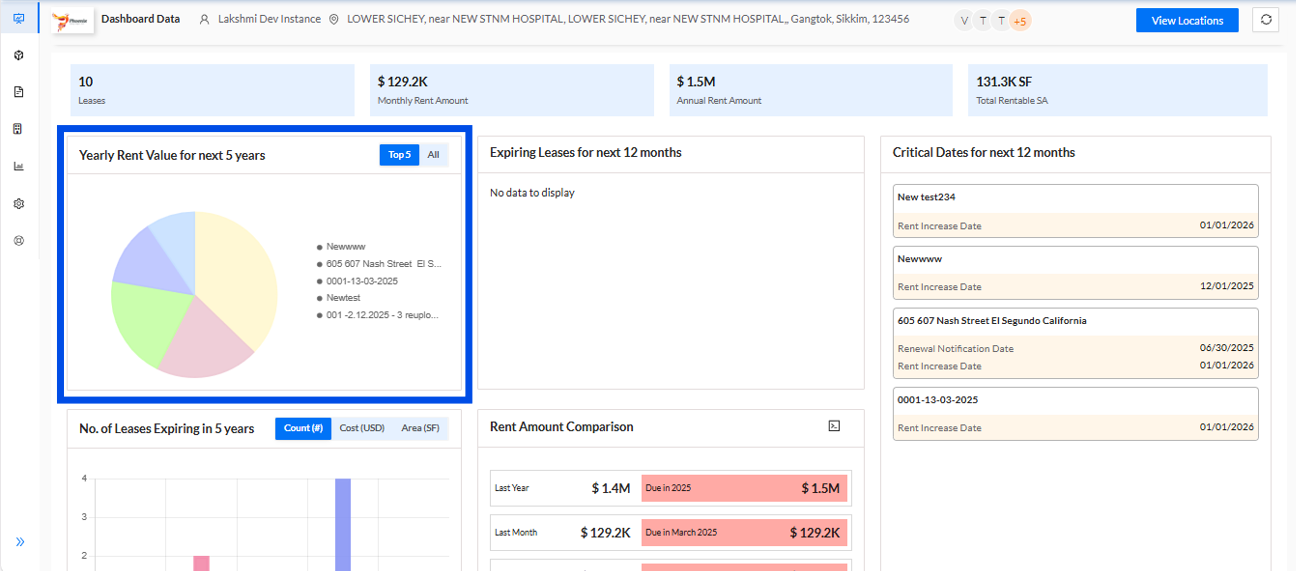
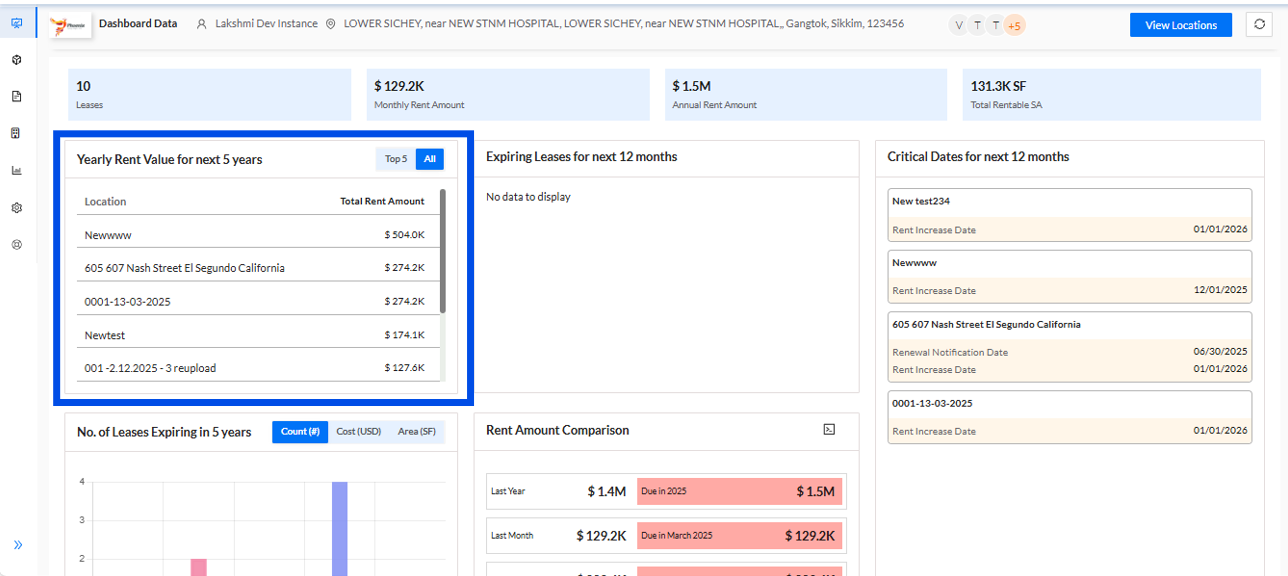
The projected yearly rent values for the next five years are provided in two formats for clarity and ease of analysis:
List Format: The rent values are displayed in a structured list, providing a clear breakdown year by year.
Pie Chart: A visual representation in the form of a pie chart highlights the top 5 locations with the highest projected rent, allowing for a quick comparison of key areas.
These formats work together to offer both detailed and high-level insights into future rental trends.
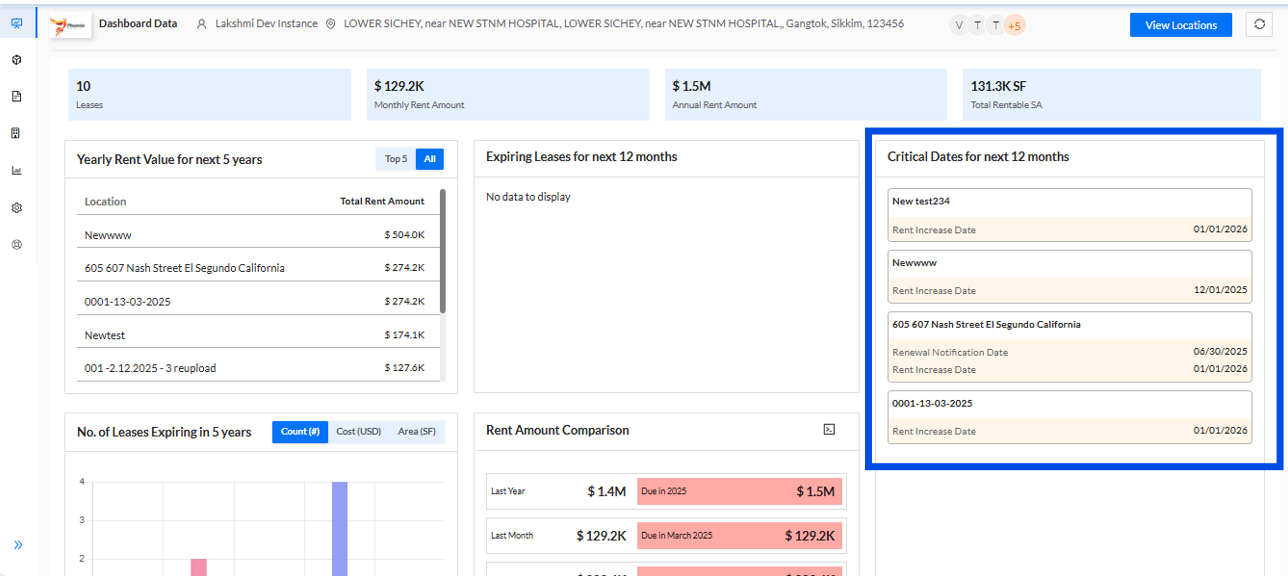
3. How are the critical dates for the next 12 months presented?
The Client Dashboard automatically derives and lists the latest critical dates for the upcoming 12 months. These dates are organized with their corresponding location names, ensuring that key deadlines and milestones are easily accessible and aligned with the relevant properties.
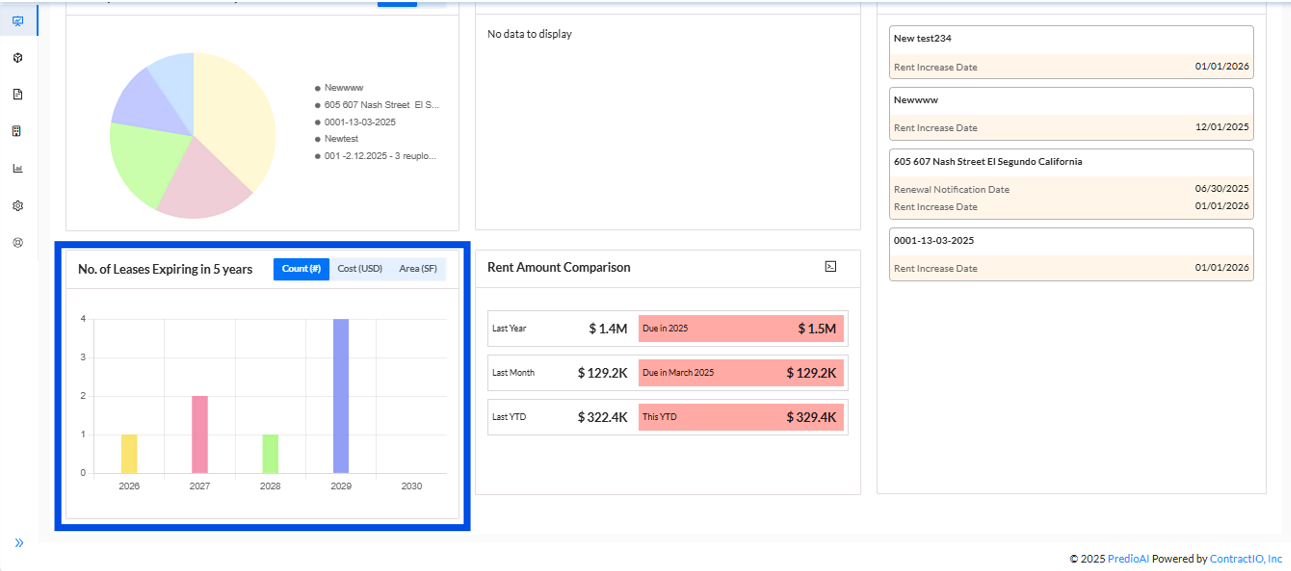
4. How are lease expirations over the next 5 years presented?
The number of leases expiring within the next five years is visually represented using a bar graph. This graph provides a clear overview of the lease expirations, with the option to view the data under different categories, including:
- Count: Displays the total number of leases expiring.
- Cost: Reflects the associated rental value for the expiring leases.
- Area: Shows the total rentable surface area for the leases expiring.
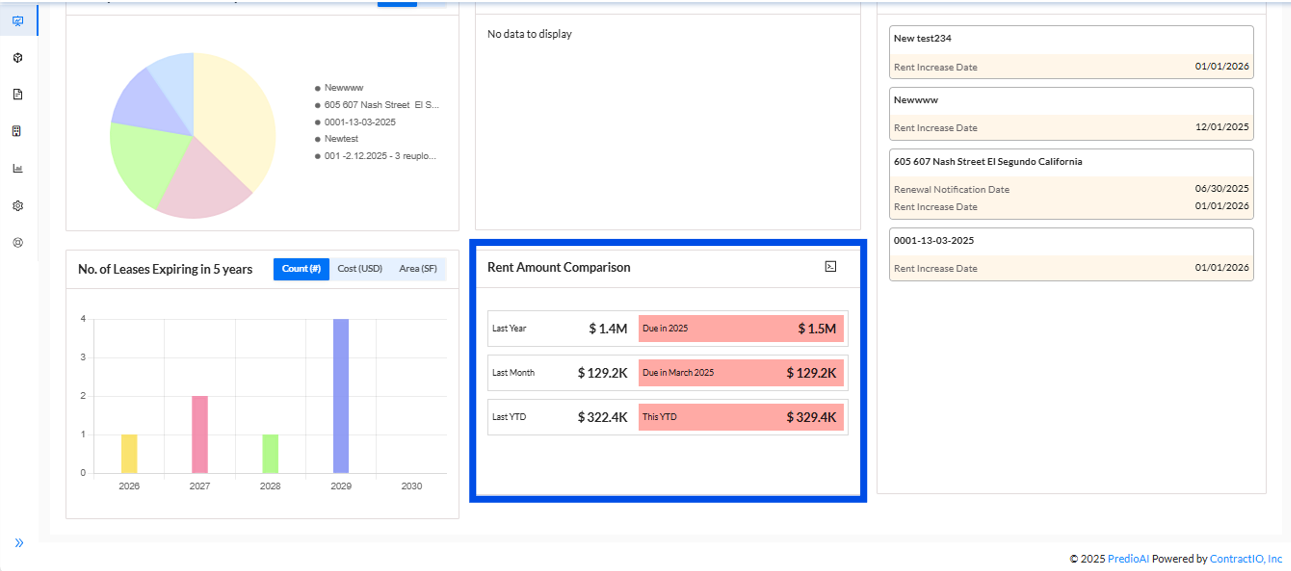
5. How is the rent amount comparison presented for the last year versus the current year?
The rent amount comparison is provided across several key periods, including:
- Annual Rent: A comparison of the total annual rent for the last year versus the present year.
- Monthly Rent: A comparison between the rent collected last month and this month.
- Year-to-Date (YTD): A comparison of the rent amounts collected year-to-date for the last year versus the current year.
These comparisons provide a comprehensive view of rent performance, allowing for easy tracking of trends and changes over different timeframes.
Was this article helpful?
That’s Great!
Thank you for your feedback
Sorry! We couldn't be helpful
Thank you for your feedback
Feedback sent
We appreciate your effort and will try to fix the article