Exporting the summary of a lease allows you to easily access and share key details about a lease in a structured format. PredioAI provides two options to export lease summaries: you can either export the summary for an individual lease or for all leases associated with a specific property. This flexibility enables you to get the level of detail you need for your reports and analysis.
Export Individual Lease Summary
Click on the Document Name Under a Property
Start by navigating to the property where the lease is located. Click on the Document Name for the specific lease you want to export the summary for.
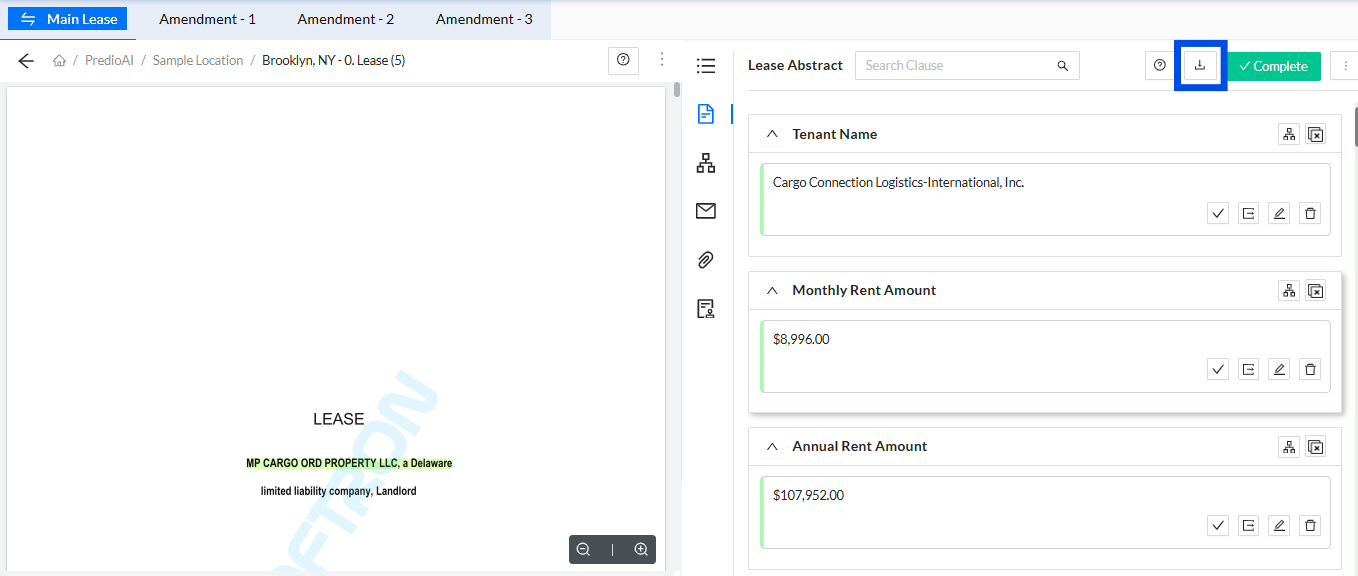
Click on the "Download Report" Button
Once you’ve selected the lease document, look for the Download Report button located in the top right corner of the page.
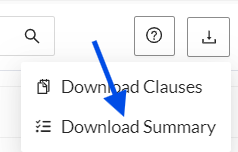
Click on "Download Summary"
After clicking Download Report, a dropdown menu will appear. Click on Download Summary to export the lease summary.
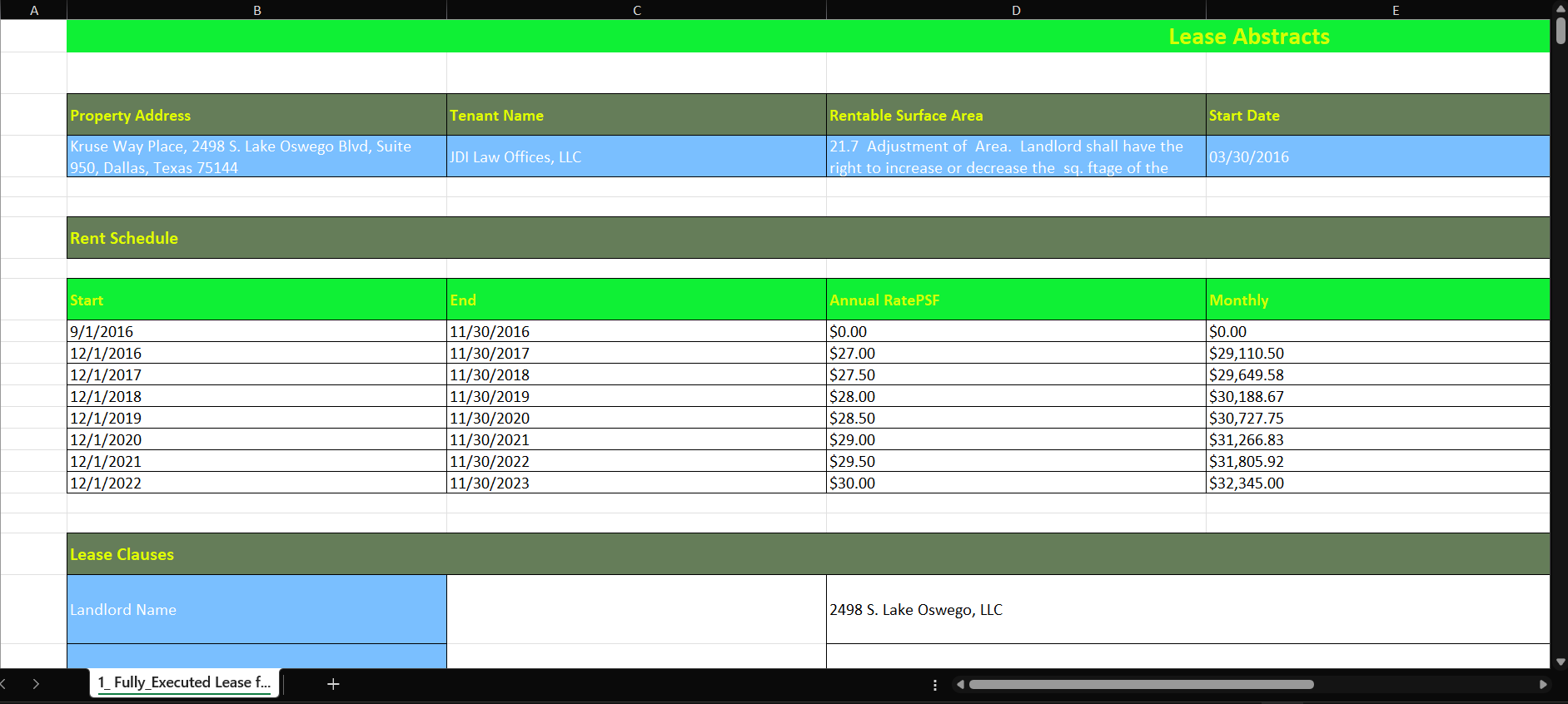
Download the Summary as an Excel File
The system will generate and download a Microsoft Excel file containing the summary for the current lease document. This summary will include key details such as lease terms, clauses, and important dates.
Export Property Lease Summary
Click on the Property Name
Navigate to the Location Dashboard for which you want to export the lease summaries. Click on the property to open its details.
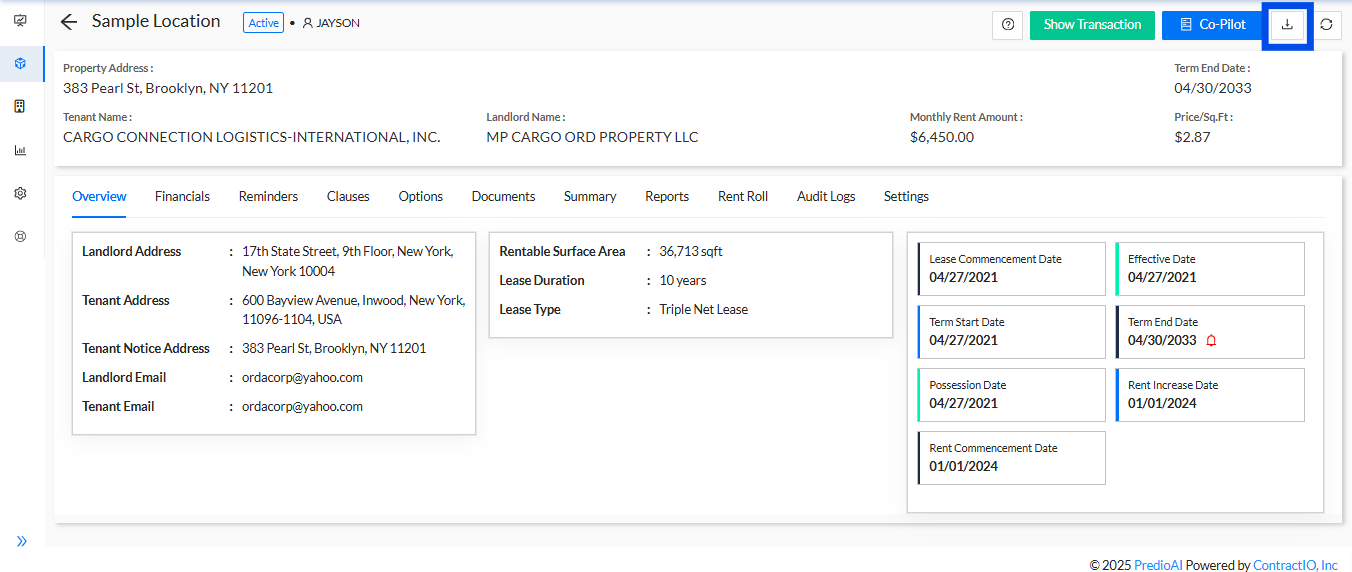
Click on the "Download Summary" Button
Inside the Summary tab, you will find a Download Summary button. Click on this button to initiate the export.

Select "Excel" as the Format
A prompt will appear asking you to select the format for the summary. Choose Excel to download the summary in a Microsoft Excel file.
Download the Excel File
The system will generate and download a Microsoft Excel file that contains a separate tab for each lease associated with the property. Each tab will include the summary information for the individual leases.
What’s Next?
After exporting the lease summary, you can open the Microsoft Excel file to review and analyze the details of the leases. You can use this information for reporting, decision-making, or sharing with stakeholders. Additionally, you can continue managing and tracking leases within the platform, ensuring all data is up-to-date and well-organized for ongoing management and analysis.
Was this article helpful?
That’s Great!
Thank you for your feedback
Sorry! We couldn't be helpful
Thank you for your feedback
Feedback sent
We appreciate your effort and will try to fix the article