Adding and associating amendments to a lease is an essential part of managing lease documents and ensuring that all changes are accurately tracked and reflected within the system. By uploading and linking amendments, you can keep your lease records up to date with any new terms, conditions, or changes made over the life of the lease.
Steps to Add and Associate Amendments to a Lease
Navigate to the Relationship Menu to Manage Leases and Documents
Begin by navigating to the Relationship Menu within the platform. This menu allows you to manage all aspects of leases and associated documents, including amendments. Find the lease for which you need to add an amendment.
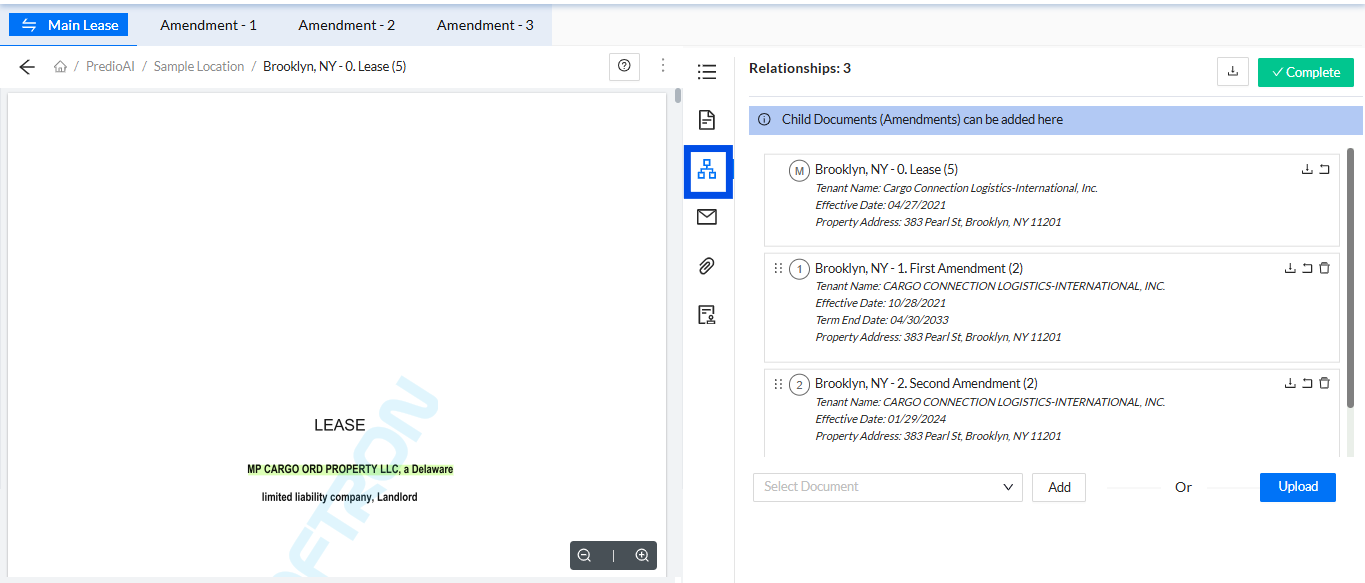
Upload the Desired Amendment
Once you’ve located the appropriate lease, click on the Upload button to add your amendment document. Select the amendment file from your device and upload it to the platform.

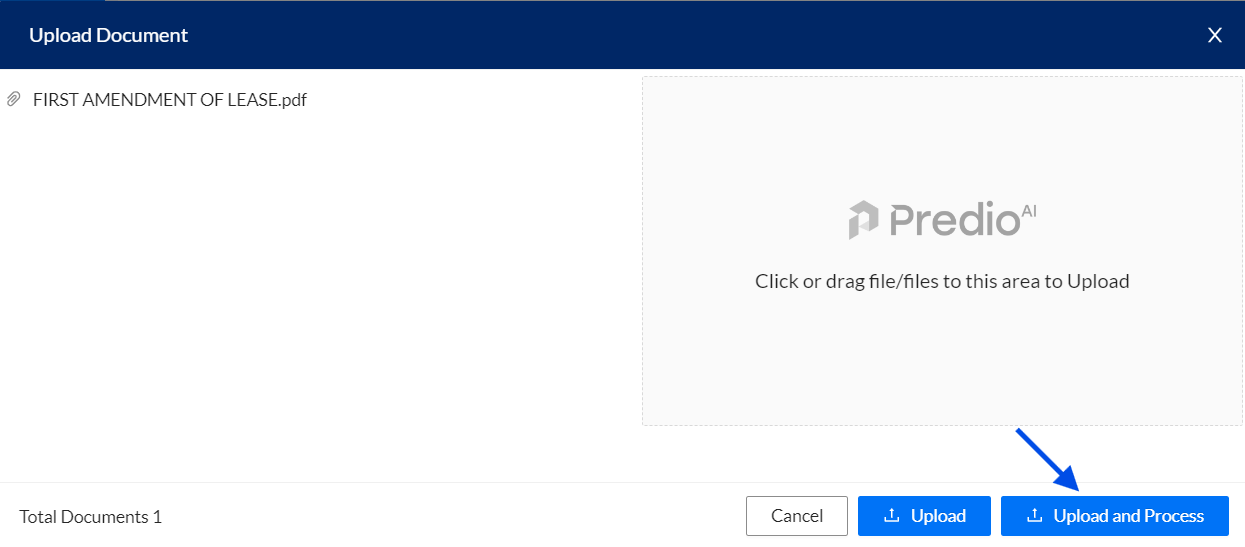
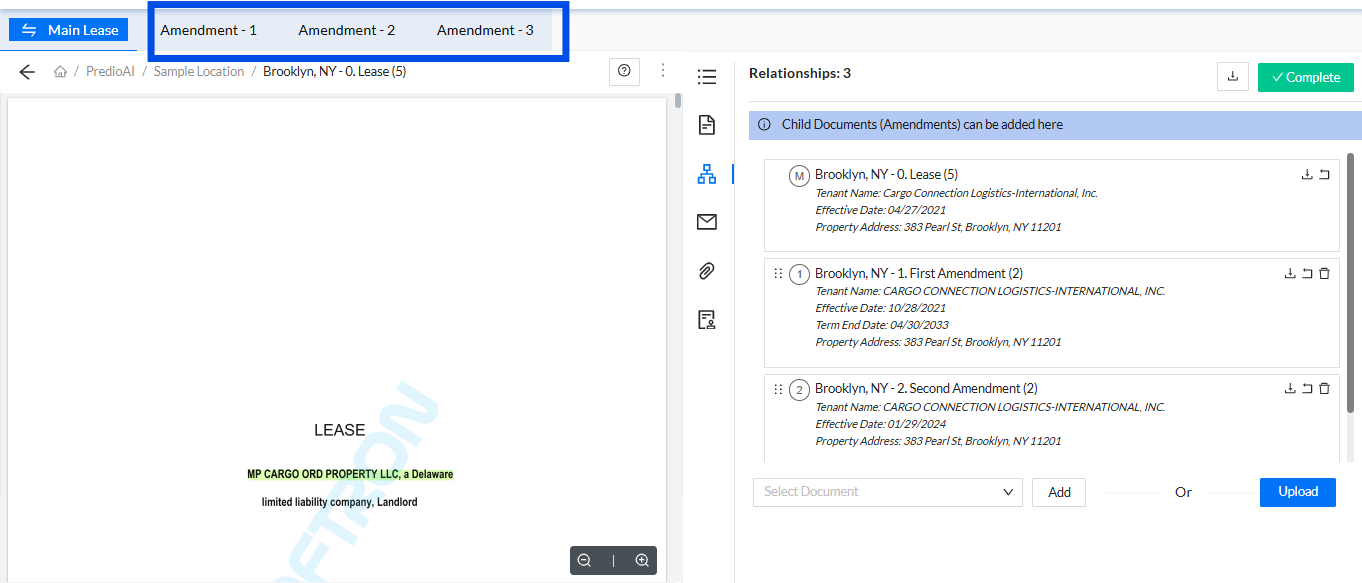
Return to the Main Lease Page
After uploading the amendment, return to the main lease page. Here, you will be able to view all associated documents, including the newly uploaded amendment. The system will automatically associate the amendment with the corresponding lease.
Updated Dates Reflected on the Dashboard Summary
Any updated dates from the amendment (such as lease renewal dates or changes in terms) will be reflected on the Dashboard Summary. This ensures that the information displayed is current and accurate, providing a comprehensive overview of the lease status.
Review or Download the Processed Amendment
Once the amendment is processed, you can review it directly within the platform. If needed, you can also download the amendment document for a more detailed review or for sharing with stakeholders.
What’s Next?
After associating the amendment with the lease, you can continue to track any changes in terms, such as updated dates or rent amounts, via the dashboard or the lease summary. The system will maintain an organized and updated record of all lease-related documents, ensuring that you stay on top of any modifications and have easy access to all relevant documents for compliance and reporting purposes.
Was this article helpful?
That’s Great!
Thank you for your feedback
Sorry! We couldn't be helpful
Thank you for your feedback
Feedback sent
We appreciate your effort and will try to fix the article