Managing renewal options is crucial for keeping lease agreements up to date and ensuring that all terms, including potential renewals, are clearly defined and tracked. This process allows you to add or update the renewal options for a lease and handle the creation or uploading of renewal notices.
Steps to Add or Update Renewal Options
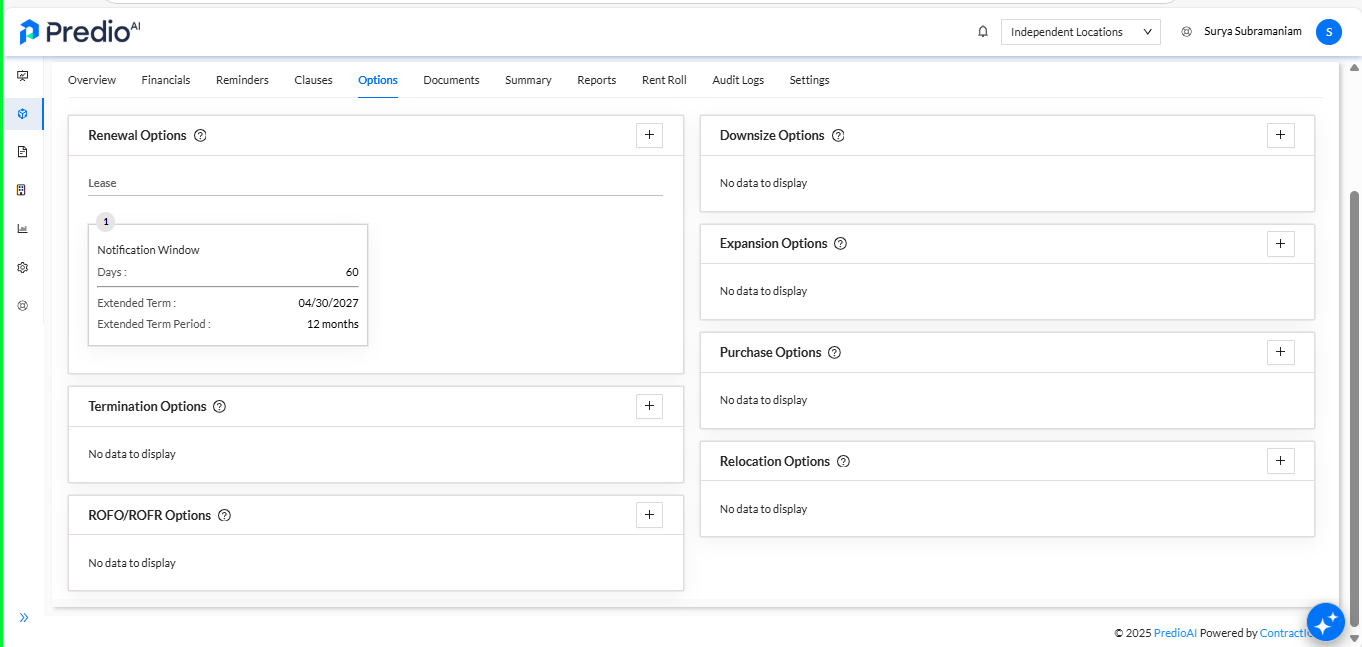
Navigate to the Options Tab Under the Location Dashboard
Begin by navigating to the Options tab within the Location Dashboard. This section allows you to manage various options related to the lease, including renewal options.
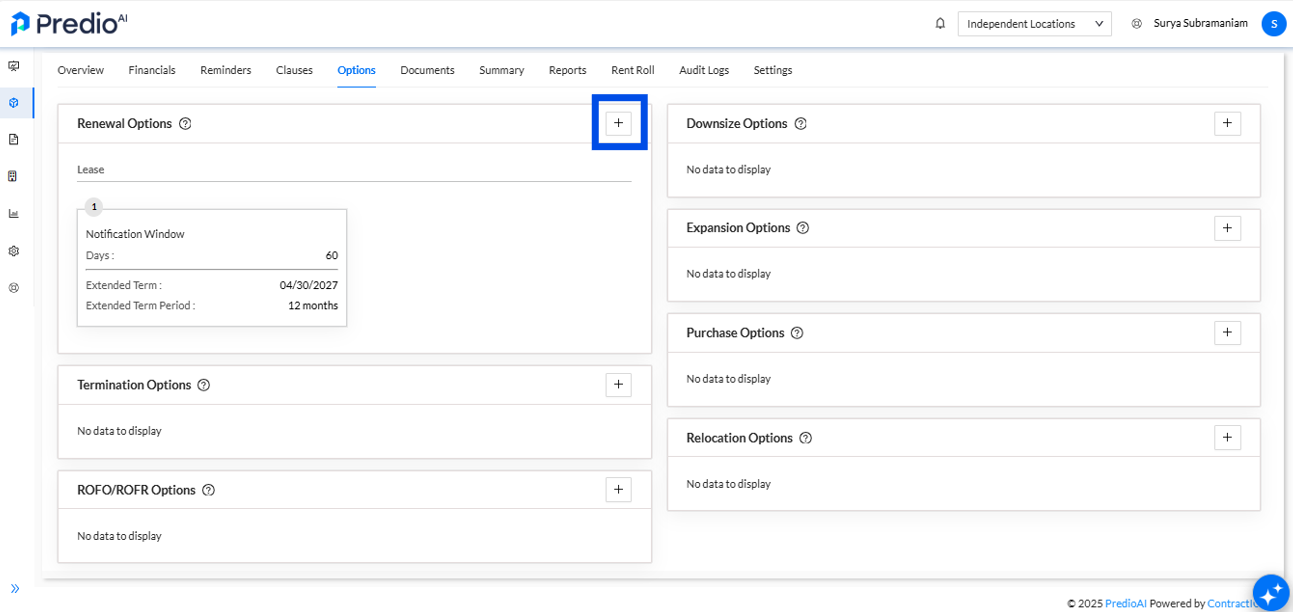
Click the Plus Icon Under the Renewal Options Section
In the Renewal Options section, click on the Plus Icon to begin adding a new renewal option. This will open the necessary fields where you can input the renewal details.
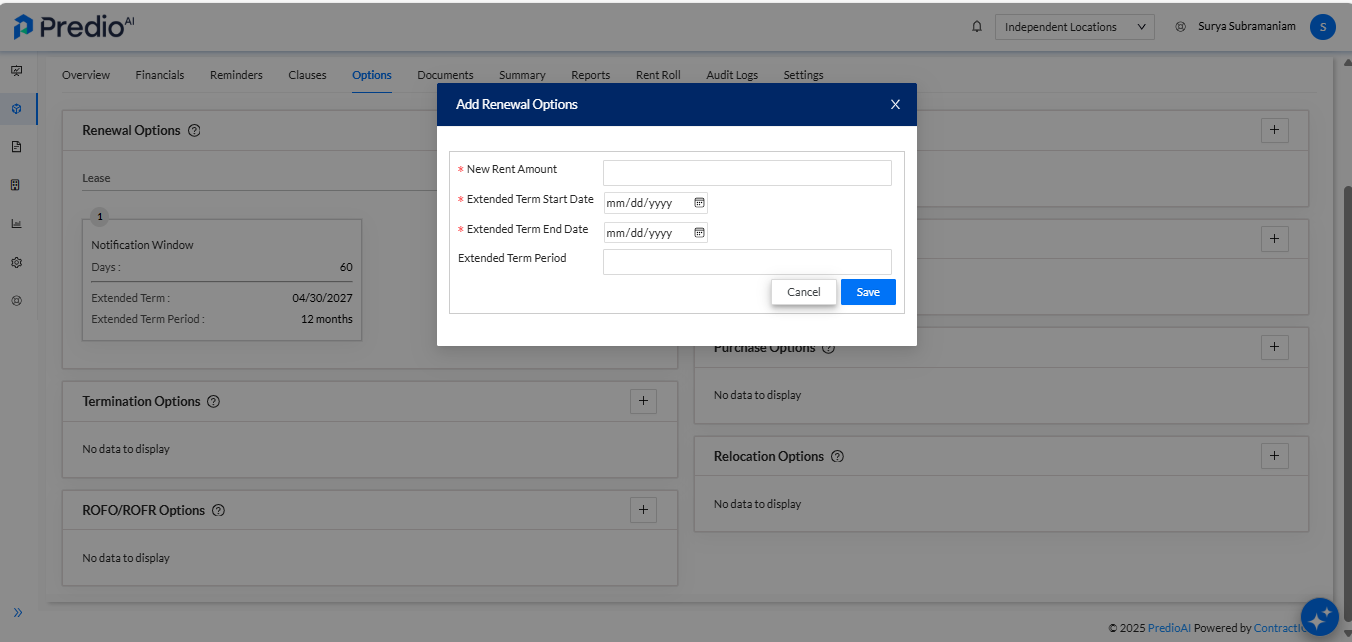
Fill in the Necessary Details in the Pop-Up
A pop-up will appear prompting you to fill in the details for the new renewal option. Ensure that all required fields are completed accurately.
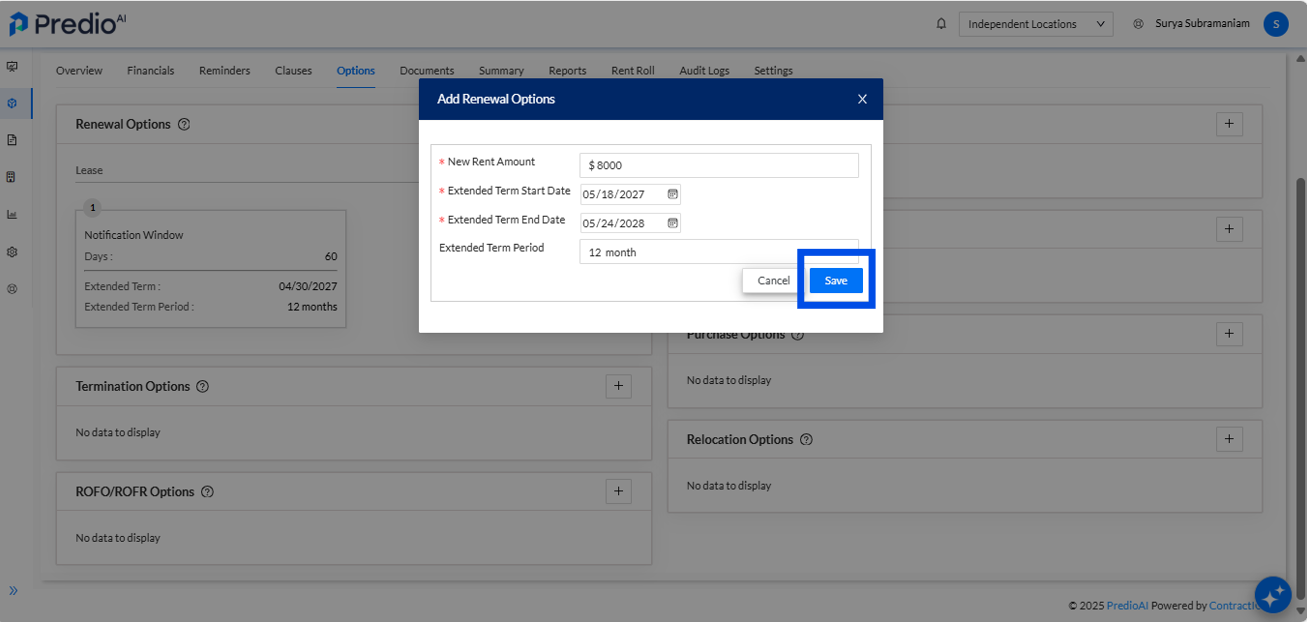
Click the Save Button
After filling in the renewal details, click the Save button to add the renewal option to the system. This will ensure that the new renewal option is recorded properly.
View the Newly Added Renewal Option
Once saved, the new renewal option will appear as a separate card under the Renewal Options section. This gives you an overview of all the renewal options available for the lease.
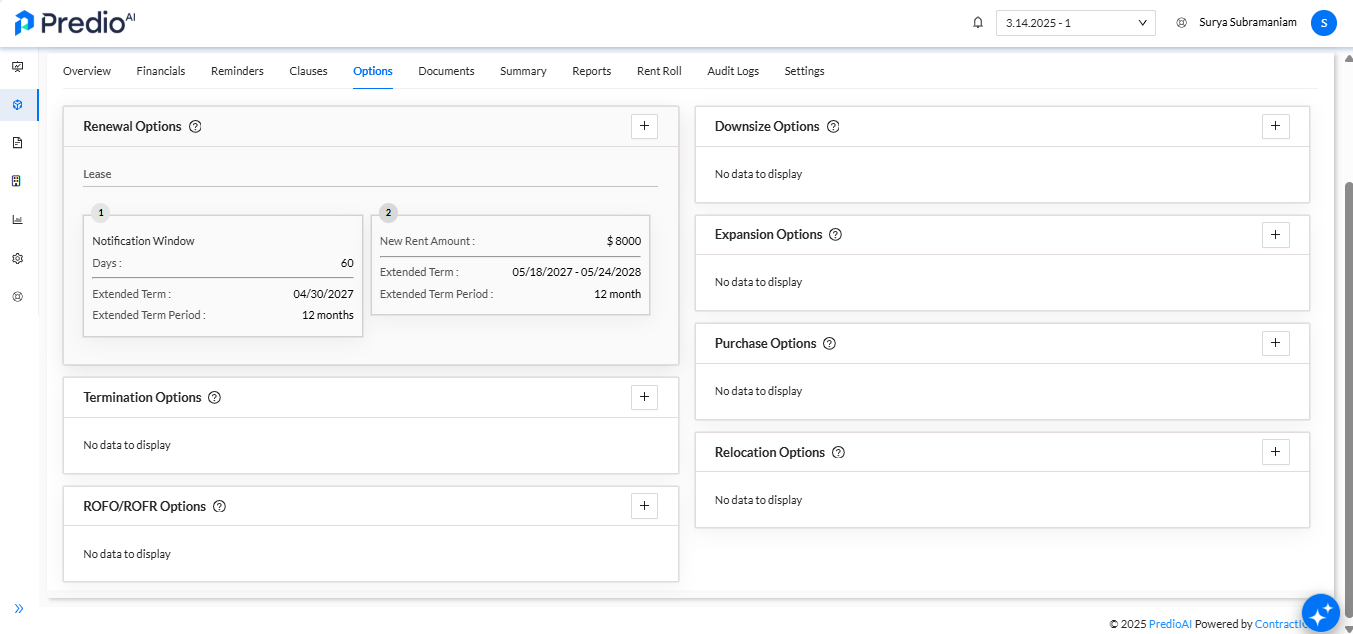
Understand "Exercised" Renewal Options
If a renewal option is marked as Exercised, it indicates that the lease is currently in the active renewal period. This means the renewal has been activated, and the lease is under its renewed terms.
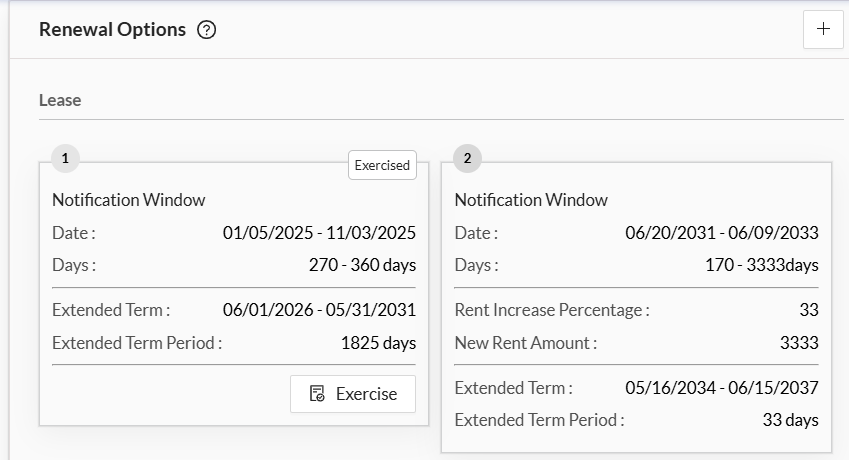
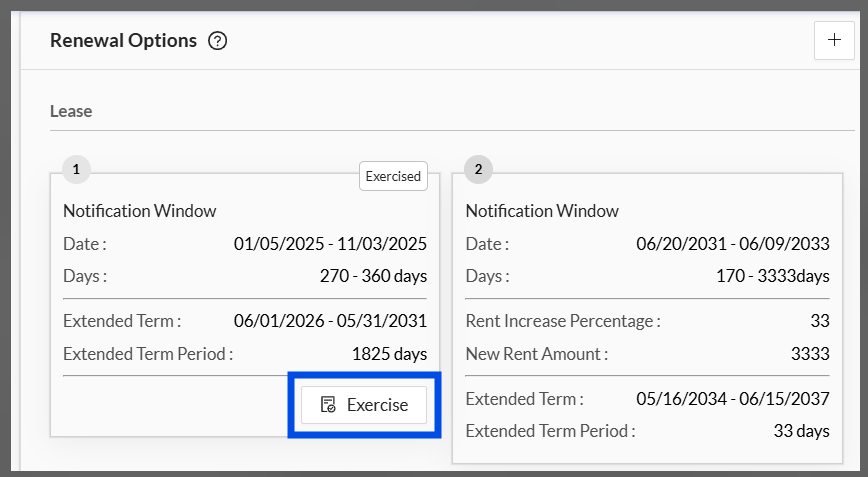
Click on the "Exercise" Button to Create or Upload the Notice
If you need to create or upload a notice regarding the exercised renewal option, click on the Exercise button. This action will guide you through the steps for generating or uploading the relevant notice.
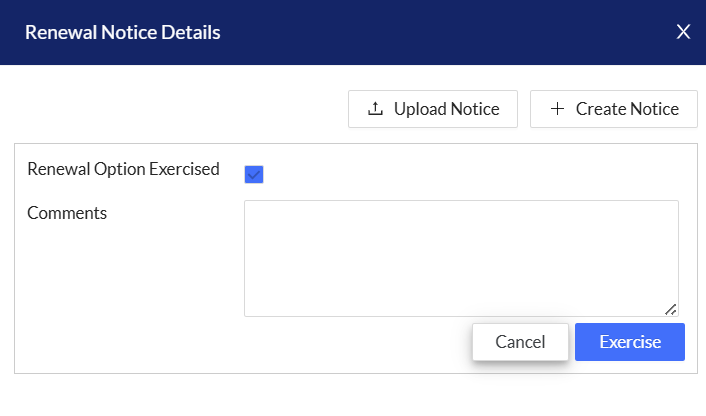
Fill in the Necessary Details or Upload the Notice
You will be prompted to fill in the required details for the renewal notice or upload an existing notice file from your computer. Complete the necessary steps and ensure the notice is properly recorded.
What’s Next?
After adding or updating the renewal options, you can continue to monitor and manage them within the Location Dashboard. If the renewal option is exercised, you can track the status of the lease renewal and ensure all relevant notices are generated and communicated. Keeping these details updated ensures that your lease management process remains streamlined and compliant with any active agreements.
Was this article helpful?
That’s Great!
Thank you for your feedback
Sorry! We couldn't be helpful
Thank you for your feedback
Feedback sent
We appreciate your effort and will try to fix the article