Creating a new location within PredioAI allows you to manage and track data specific to a property or site within a client’s portfolio. This functionality ensures that each location has its own set of clauses, collaborators, and property-specific details, making it easier to organize and analyze critical data for effective lease and contract management.
Steps to Create a New Location
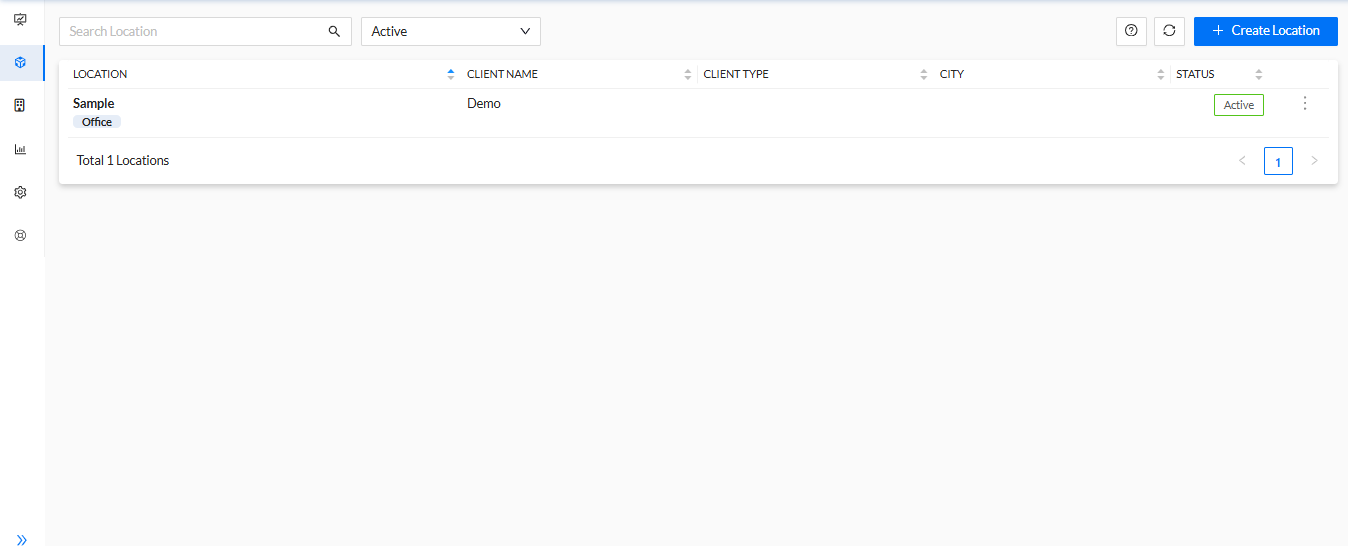
Click on "+ Create Location"
On the Location Listing Page, click on the + Create Location button to initiate the process of adding a new location. This button is prominently displayed and is the first step to create a new property.
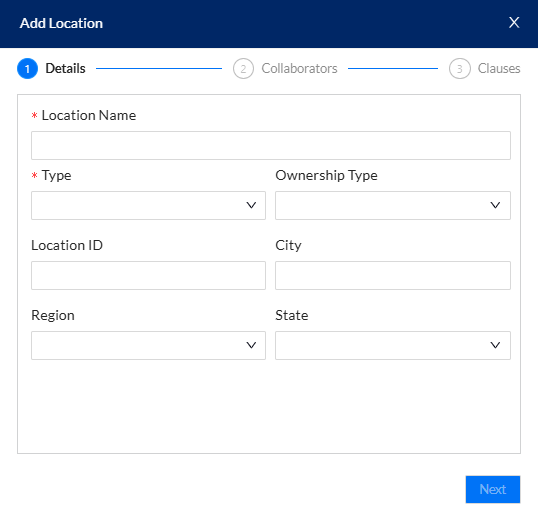
Enter Property Name and Property Type
In the pop-up form, you’ll be prompted to enter the Property Name and select the Property Type. The property name helps identify the location within the system, while the property type categorizes the location (e.g., office, retail, industrial, etc.).
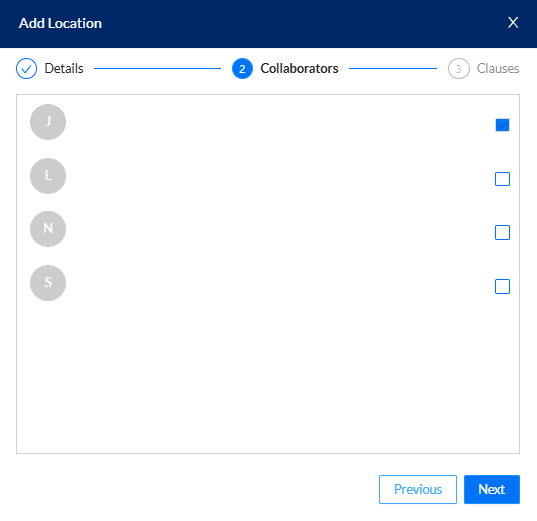
Click "Next" and Select Collaborators
After entering the necessary property details, click Next. You’ll then be asked to select any Collaborators for the property. These are individuals or teams who will be involved with the location and its associated data. Assigning collaborators ensures the right people have access to manage or view information related to this specific location.
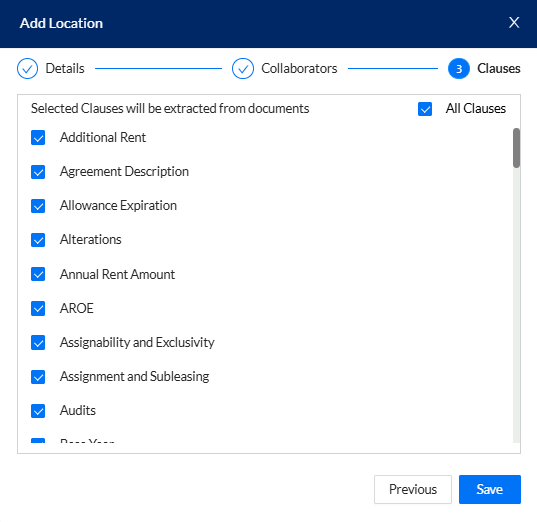
Select Clauses for Analysis
The next step involves selecting the clauses that PredioAI will analyze for the location. These clauses are key components of the lease or contract that you wish to track and manage. PredioAI will use these clauses for lease abstraction and other analyses related to the property.
Click "Save" to Create the Location
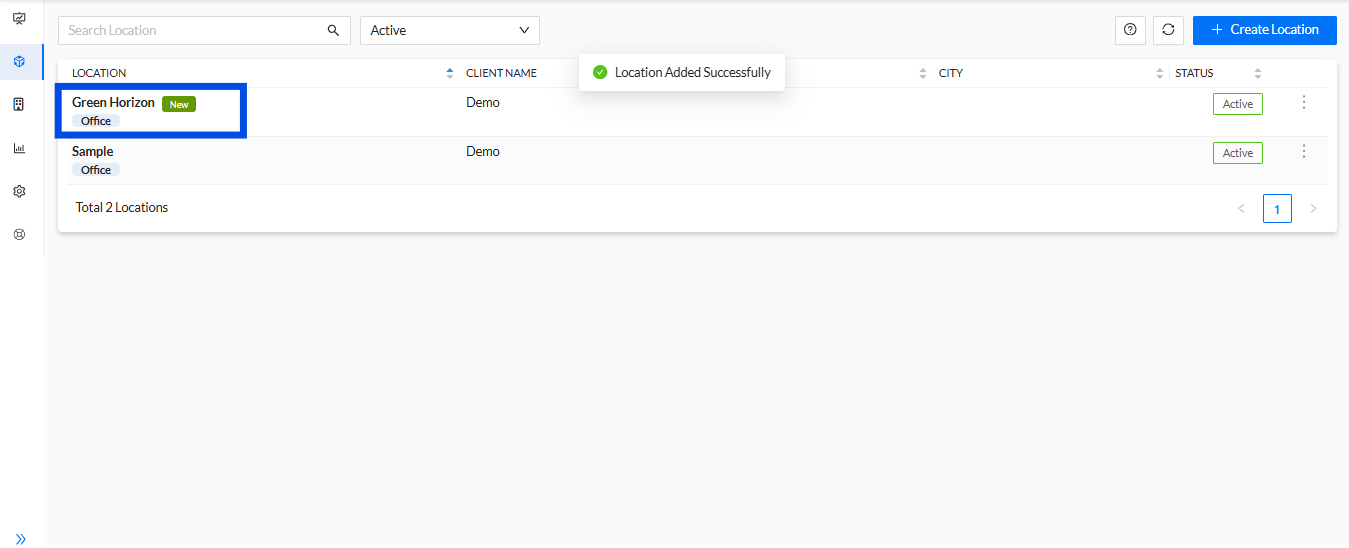
Once all required information is entered, click the Save button to create the new location. The location will now be available in the system, and you can begin uploading documents, managing clauses, and performing other actions related to this specific property.
What’s Next?
After creating the location, you can proceed with uploading documents related to the property, such as leases, amendments, or contracts. This will allow you to abstract and analyze the data specific to this location. Additionally, you can set reminders for key dates, manage lease renewals, and generate reports based on the location's data.
Was this article helpful?
That’s Great!
Thank you for your feedback
Sorry! We couldn't be helpful
Thank you for your feedback
Feedback sent
We appreciate your effort and will try to fix the article