Uploading documents for a location within PredioAI is a simple process that allows you to associate relevant property contracts, leases, amendments, and other files with the correct location. This is the first step in the document processing workflow, where the system can begin to extract key data and provide insights from your files.
Steps to Upload Documents for a Location
Click on the Property Name
Begin by navigating to the location where you want to upload documents. Click on the specific Property Name from the Location Dashboard or Client Page to open the location’s details.

Click on the "Upload" Button
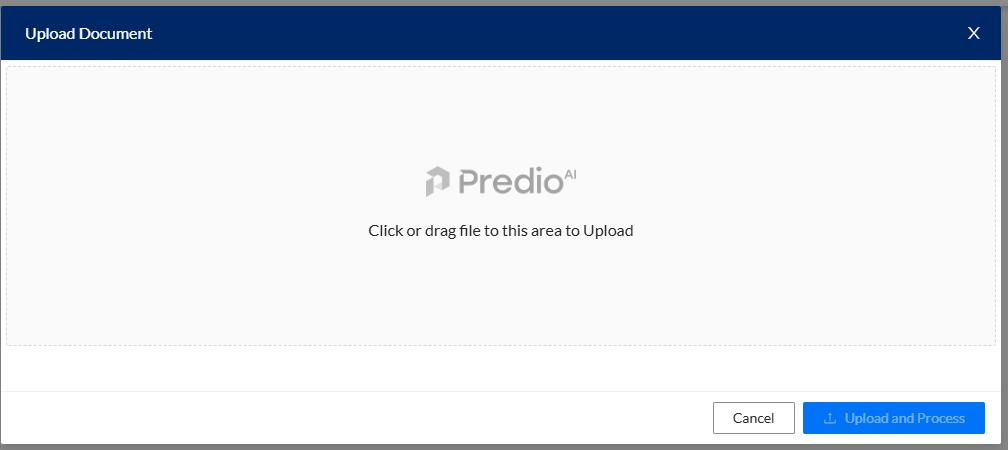
Once you're on the location page, locate and click on the Upload button. This will open the Upload Document modal, allowing you to select and upload your documents.

Drag and Drop or Browse for Documents
In the Upload Document modal, you have two options to upload your files:
Drag and Drop: Simply drag your documents from your computer or file explorer and drop them into the upload area.
Browse: Alternatively, click the browse button to search and select the documents you want to upload from your computer.
Select Upload and Processing Options
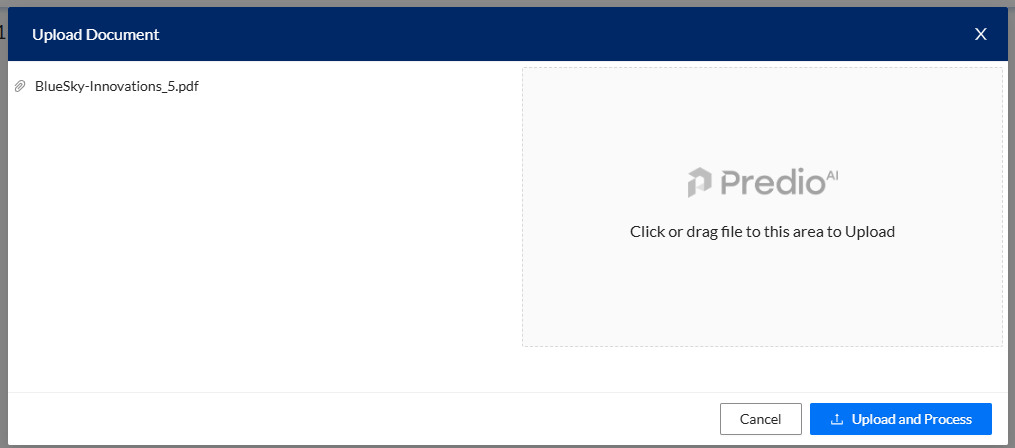
After choosing your documents, you have two options:
Upload and Process: Click on this option if you want PredioAI to immediately start processing the documents. This will trigger the AI to abstract key information and analyze the document content.
Upload: If you prefer to upload the documents without processing them right away, select this option. You can process the documents later when ready.
View Uploaded Documents Under the "Documents" Tab
Once the documents are uploaded, they will appear under the Documents tab for that location. You can now access, review, and manage these documents as part of your workflow.
What’s Next?
After uploading your documents, you can proceed to have PredioAI process them for data extraction and analysis. You can also view the abstracts, download reports, or even make amendments and updates to the documents as needed. The uploaded documents will be ready for further actions, such as generating reports, setting reminders, or performing clause analysis.
Was this article helpful?
That’s Great!
Thank you for your feedback
Sorry! We couldn't be helpful
Thank you for your feedback
Feedback sent
We appreciate your effort and will try to fix the article