Setting reminders for key lease events or actions helps ensure important tasks, such as lease renewals, payment due dates, or contract milestones, are not overlooked. PredioAI allows you to create and manage reminders easily through the platform.
Steps to Add Reminders
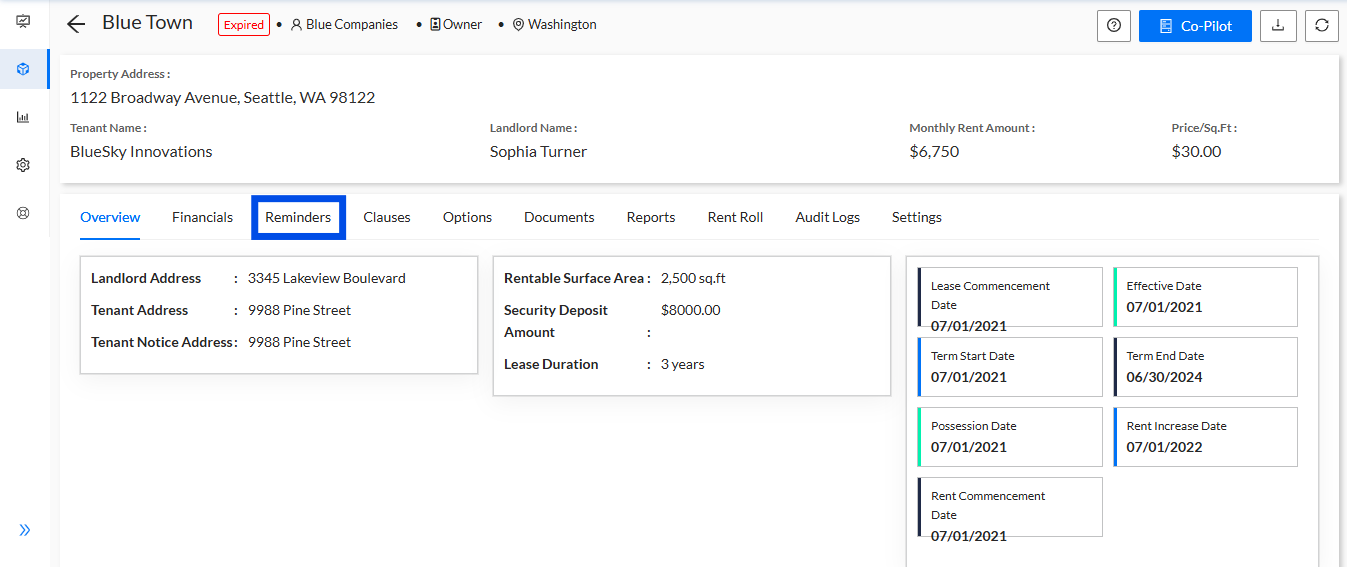
Locate the Reminders Tab Under the Property Pages
Begin by navigating to the Reminders Tab within the property page. This section is dedicated to managing all reminders related to your leases and properties.
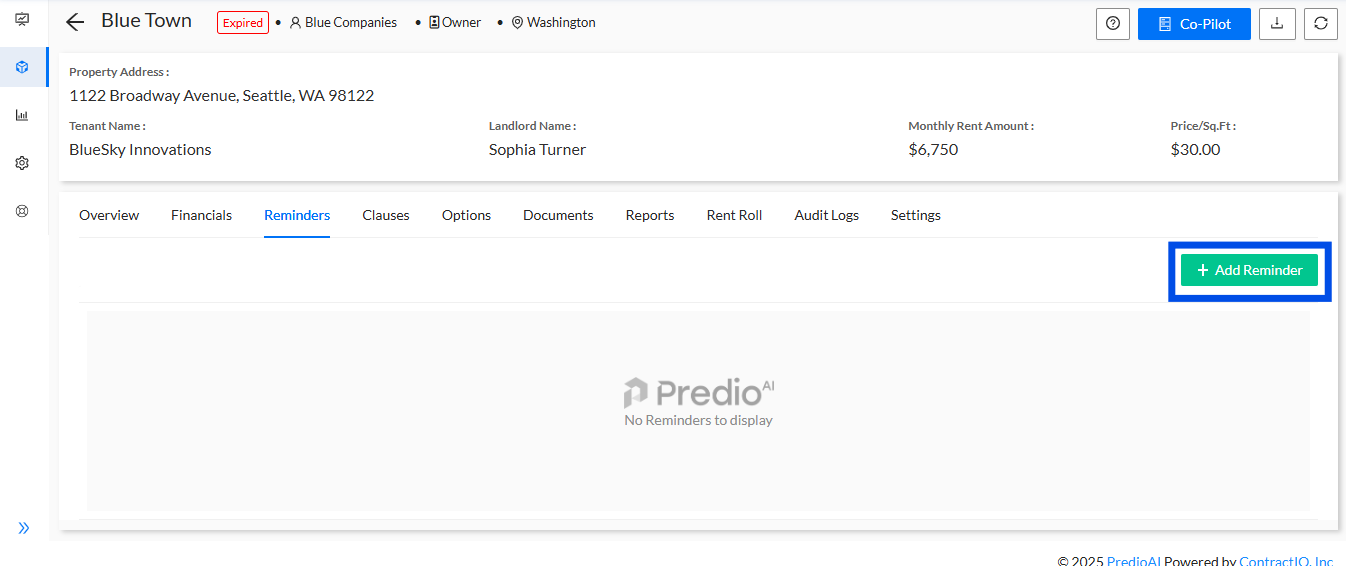
Click on the "Add Reminder" Button
In the Reminders Tab, click on the Add Reminder button. This will open a new interface where you can fill in the details for the reminder you want to set.
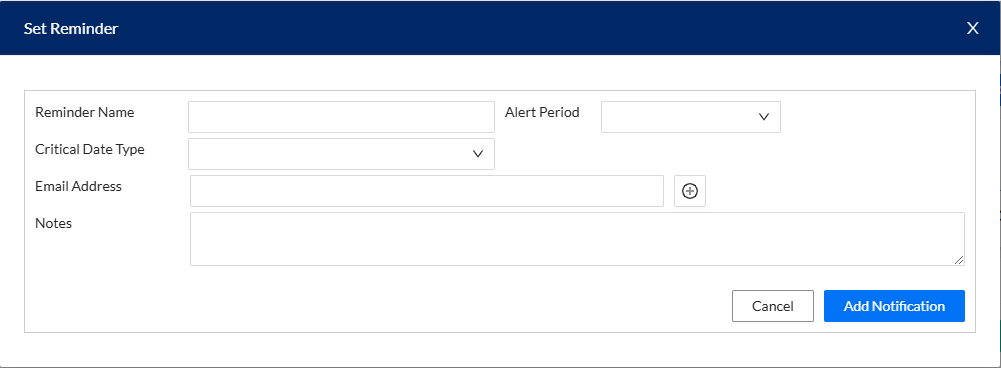
Fill in the Details to Set the Reminder
Enter the necessary details for the reminder, such as the title, date, and any other relevant information about the event or task you want to be reminded of.
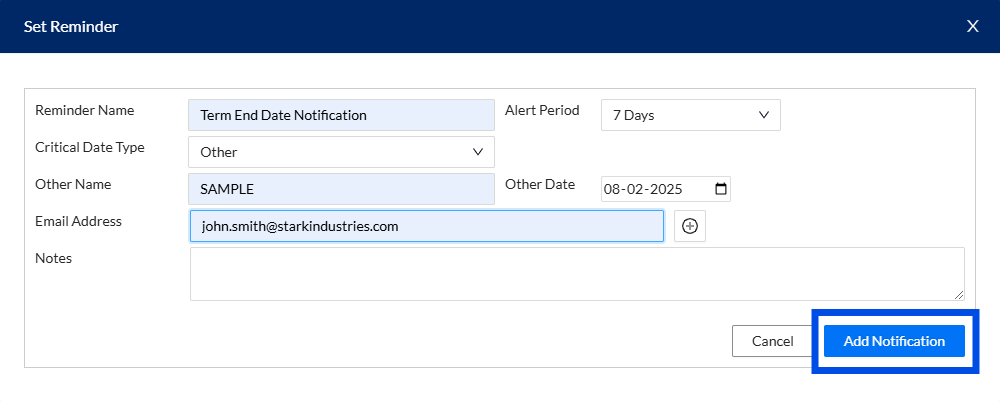
Click on the "Add Notification" Button to Set the Reminder
After filling in the reminder details, click the Add Notification button. This will save the reminder and set up the notification to alert you at the specified time.
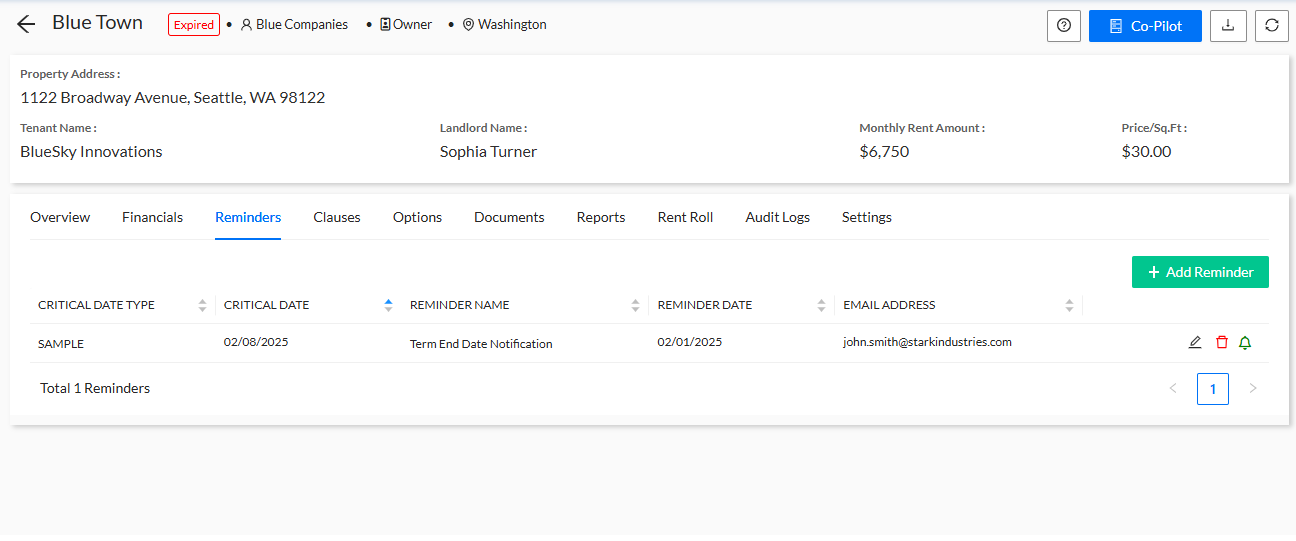
View the Updated Reminder
Once the reminder is successfully added, it will appear in the reminders list under the property page. You can view and manage all your set reminders here.
What’s Next?
After setting your reminder, you can track it and ensure you're notified on time. The reminders will help you stay on top of important lease events or deadlines, ensuring that all necessary actions are completed promptly. You can always edit or delete reminders as needed from the same reminders list.
Was this article helpful?
That’s Great!
Thank you for your feedback
Sorry! We couldn't be helpful
Thank you for your feedback
Feedback sent
We appreciate your effort and will try to fix the article